How do I lock a membership?
When a membership is expired, it is best practice to lock the account. This will remove the member's name from the search bar but the data still exists in the database.
* Search for the member's name using the Search bar at the top of your homepage.
* Click on Membership history on the left hand side of the page.
* Scroll to the bottom of the page and hit the Lock membership green button. You can use the current day's date or amend to the date that reflects the end of the membership.
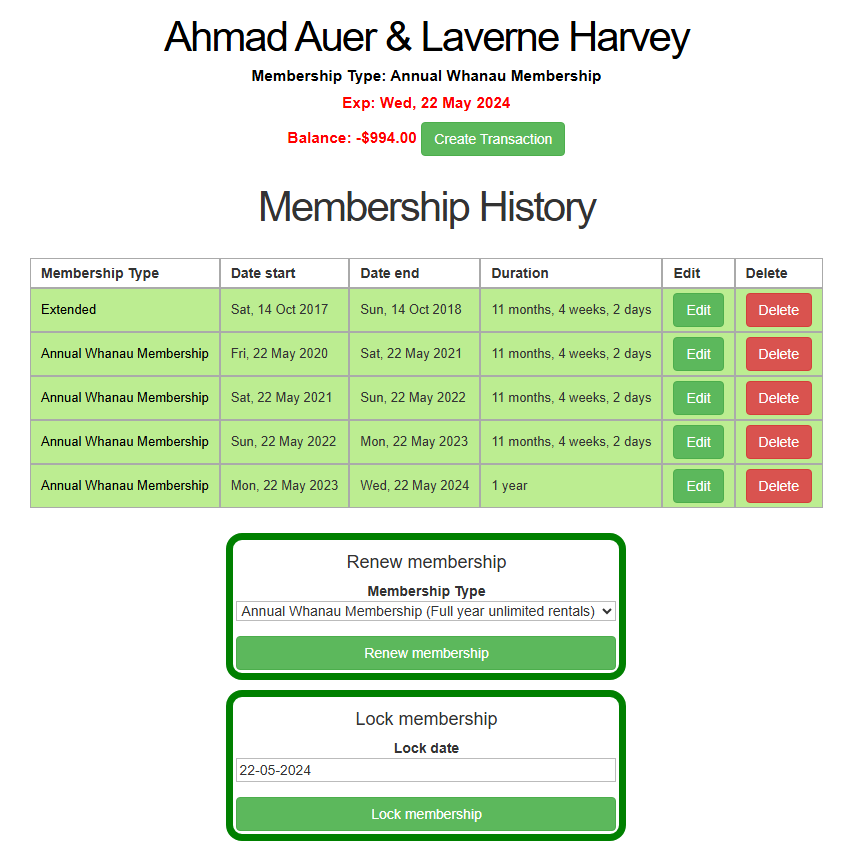
If you need to find this member (for example if they rejoin), choose Members from the main menu then Members (first option on the dropdown)> Other Member Lists and then ALL members including Locked.
More information on Locking and Unlocking members can be found here.