Categories
Colours
Certain label templates can display a coloured cell or row.
If a site has one of these templates, an additional "Colour" column will appear in the Categories table, and a colour and text colour can be selected for each category.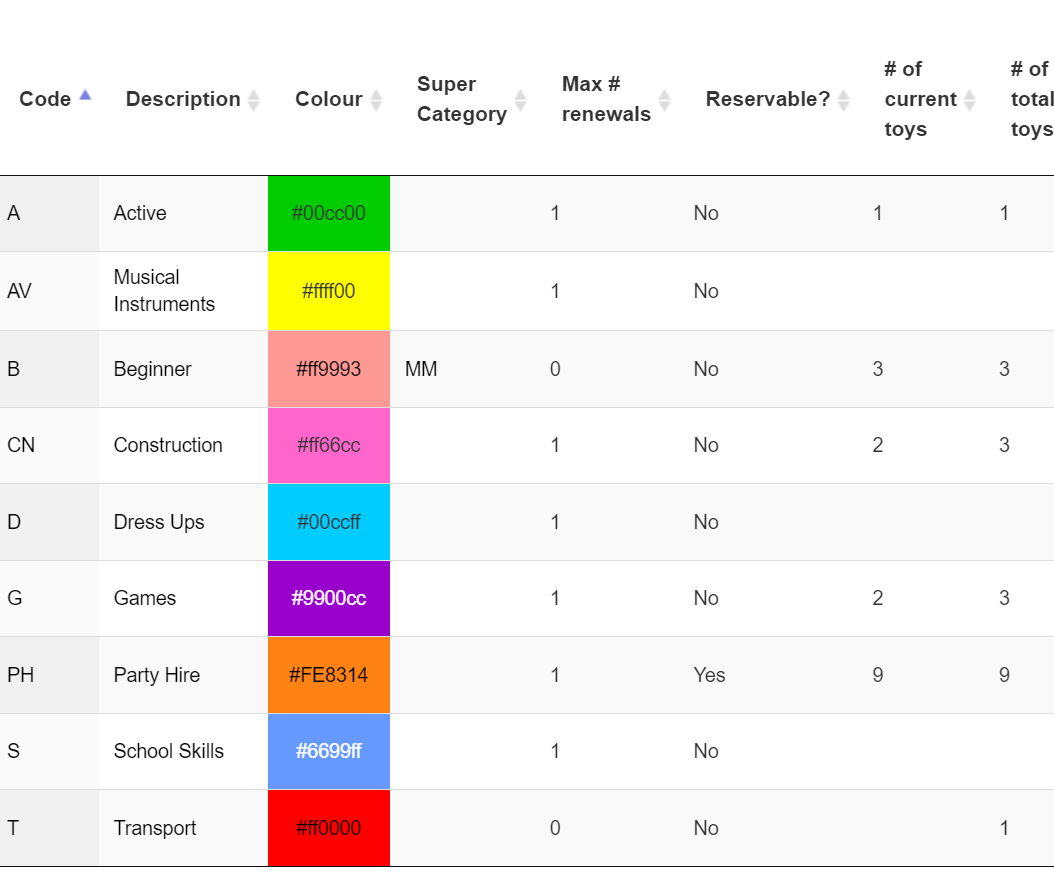
This colour and font will be displayed at the top of the Category's page as well
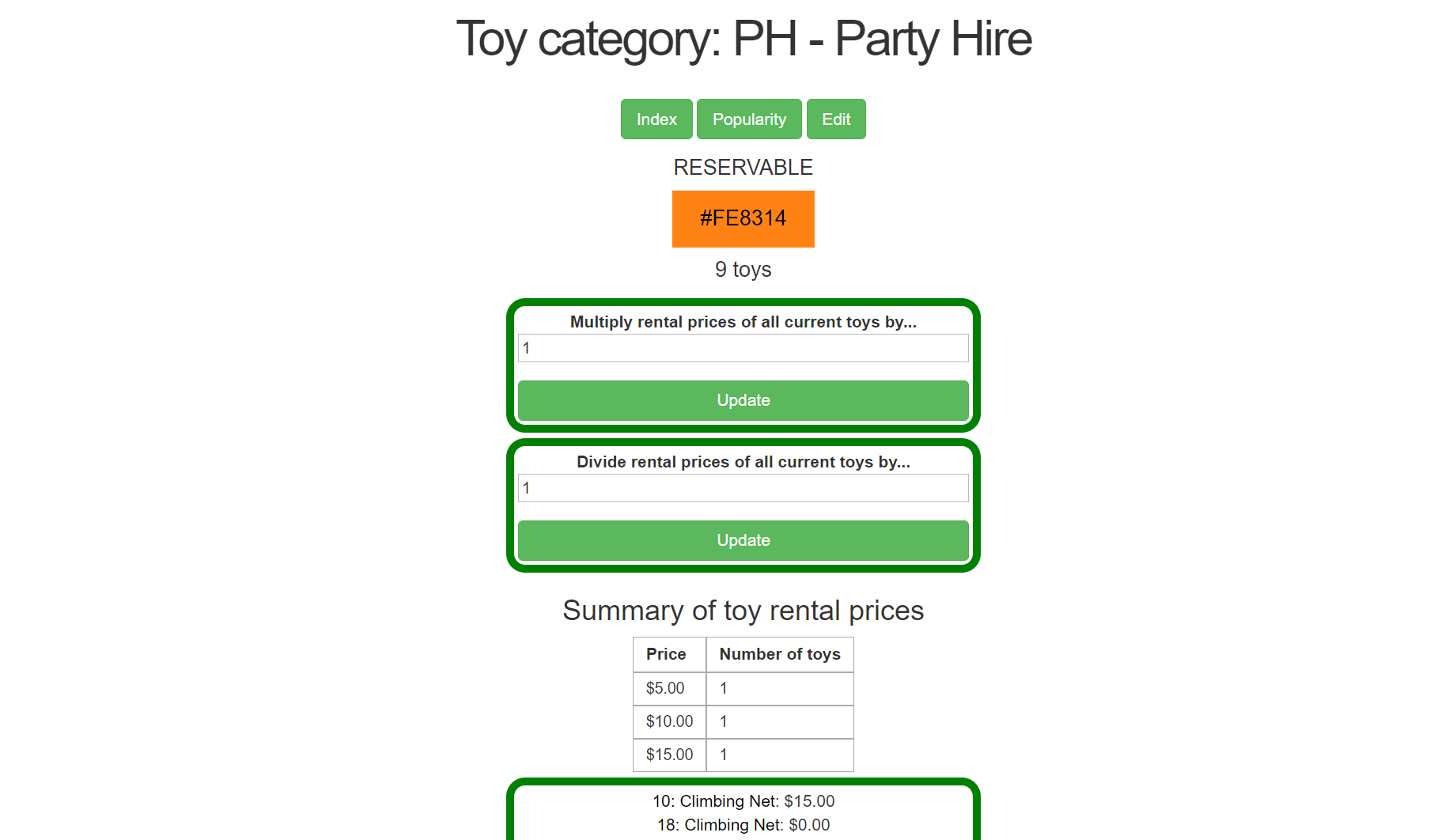
When editing or creating a category, the currently saved settings will show as the "Original" box, with anything selected from the Color picker appearing in the preview.
Entering a different hex code in the manual override will save that instead, but will not change the "Selected" preview. If the Manual Override is left blank, colour will be removed and default to white in the bag label.
If text colour is left blank, it will default to black in all displays.
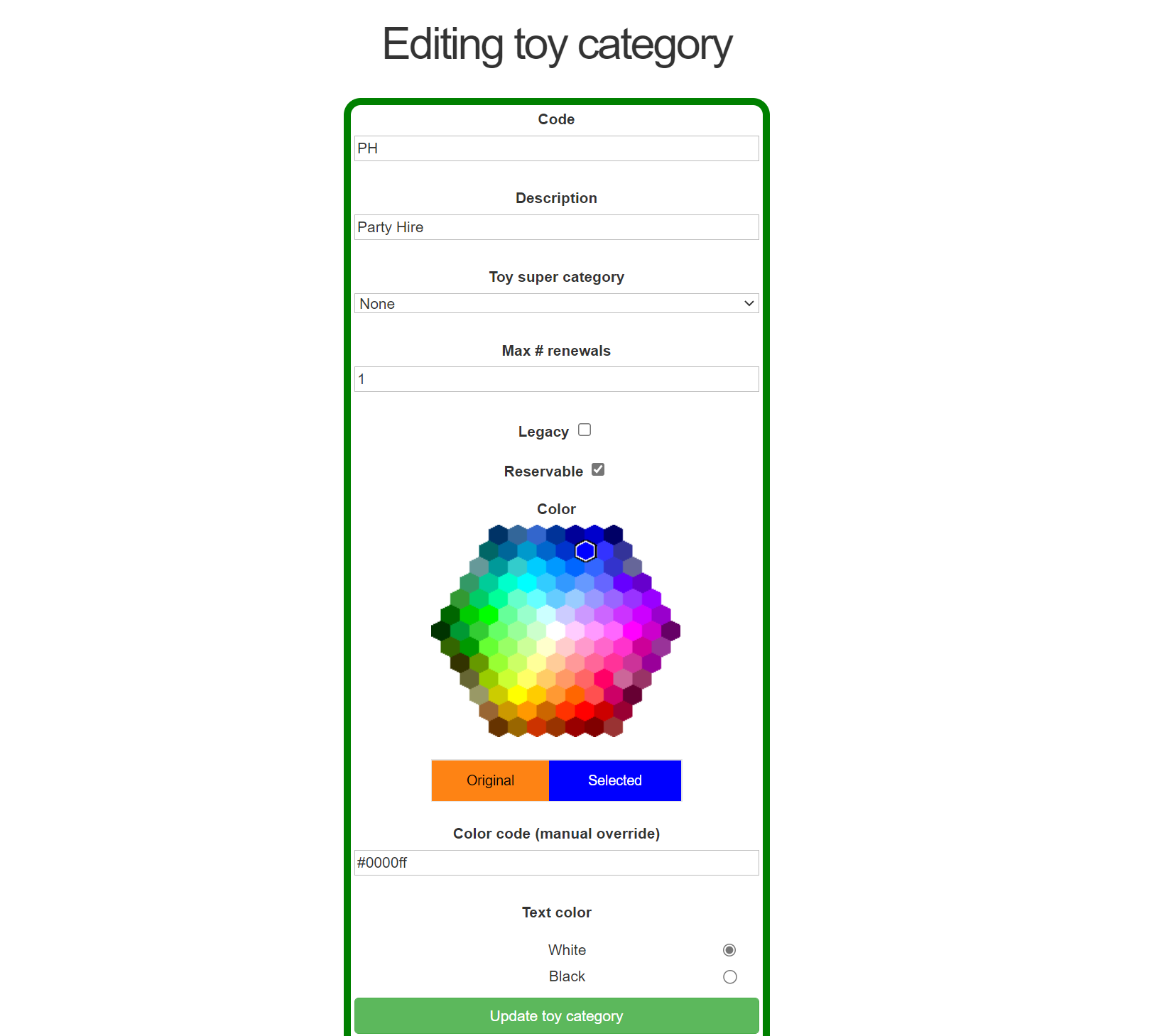
Note: the colour picker is always available, even to toy libraries that do not have supported template/s. The values will still save, but will not display anywhere until a supported template is introduced.
Legacy
Marking a Category as "Legacy" will remove it from the options when creating a new item, or when searching, but still remain valid for any items that have this Category.
Legacy Categories are listed separately, and can be revived by removing the Legacy flag.
What is a Category?
A Category is the grouping of individual items.
Examples of Categories are Beginner Skills, Construction, Imaginative, Vehicles, Party Hire, etc.
Each toy must be allocated to a Category.
If you have started with an empty database, you will need to create your categories and allocate their attributes.
To view your Categories, or create a new one, in your top menu go Toys>Categories.
Scroll right down the bottom of the page and click on Add a toy category.
Type in a unique code (1 or 2 digits preferred), a description, and a maximum number of renewals.
Colour choices will only work if there is a label template loaded that relies on a colour scheme, click here for more details.
Once a Category is created, it becomes available in the drop-down menu in any new toy created or edit toy screens.